Hand-drawn
Hand-drawn Button
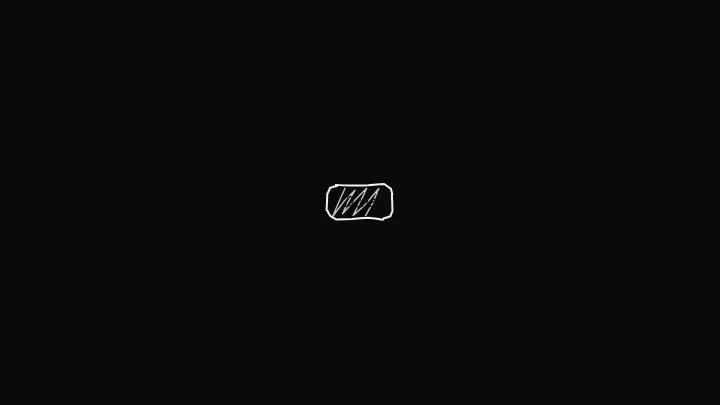
A hand-drawn button: the outline boils like in a drawn cartoon, hover redraws it, pressing thickens the line. Three looks: outline, ink fill and hatching. A real <button>, zero dependencies.
React + Tailwind, shadcn-compatible: press “Copy for AI” and your Cursor or Claude Code agent installs it with the shadcn CLI.
What you can change
- label — the caption; the handwriting seed is derived from it by default
- variant — scribble (single-stroke hatching), outline or solid (ink fill, inverted text)
- onClick — the click handler
A link for your AI agent: preview, code and instructions.
Preview
Use it with AI
- 1. Copy the link.
- 2. Write to your agent in your own words and drop the link into the sentence.
- 3. The agent opens the link and installs the component from the registry.
put this on the home page as the hero:
https://vibeui.club/c/sketch-001?lang=en&theme=dark
Not sure where to paste it? Step-by-step guide
Show the full instructions
What the link says, spelled out. Use it when your agent cannot open links — paste this text instead.
Loading…
How to use
<Sketch001 label="Done" onClick={() => save()} />A sample call. The agent installs the component itself from the registry via the “Copy for AI” link.
Settings
- Variant
variant· default: scribble- Hand
rough· default: neat- Boil
boil· default: soft- Line
accent· default: theme colour- Text
ink· default: theme colour
Used in scenarios
- Photographer portfolioPrice buttons
More in Hand-drawn
FAQ
- How do I add Hand-drawn Button with Cursor or Claude Code?
- Press “Copy for AI” on this page and paste it into your agent's chat. The instruction contains the shadcn CLI install command, the dependencies and what to keep, so the agent installs this exact component instead of recreating a lookalike.
- What does Hand-drawn Button depend on?
- No npm packages beyond React and Tailwind CSS.
- What can I change in Hand-drawn Button?
- Adapt: label — the caption; the handwriting seed is derived from it by default; variant — scribble (single-stroke hatching), outline or solid (ink fill, inverted text); onClick — the click handler. Keep as installed: the local --vibeui-sketch-001-* palette — do not swap it for your theme tokens; the three outline frames switched via @property + step-end — this is the 'boiling line' of drawn animation, do not replace with CSS filters or a JS timer; the deterministic seed: one label — one handwriting on every load, not random on every render.
- Is Hand-drawn Button free?
- The preview is open to everyone; the source is available with a PRO subscription.
For developers
npx shadcn@latest add https://vibeui.club/r/pro/sketch-001.jsonThis command needs a signed link: sign in and open “Component source” below — it issues a working link valid for 30 minutes. All install options
Technical notes
One file, zero dependencies, "use client". The host is a <button>, the ink layer is an SVG under the caption: a rectPoints outline with radius 9, for solid a second uneven filled outline, for scribble (default) a single continuous sawtooth hatch between the edges at 11px steps with a 0.7× thin line. :active thickens the line via --width. Outlines are drawn in pixels: the host is measured with ResizeObserver, perimeter points are shifted by deterministic noise (mulberry32 from seed, by default a hash of the label), segments are quadratic curves; three frames of one line differ by a small boil jitter. Frames are switched by CSS: @property --frame (integer) + @keyframes step-end 1.2s, each path is visible only on its frame (opacity via clamp(1 − (frame − i)²)). Hover shifts the seed — a fresh stroke. Neucha and Caveat fonts load via <link precedence> from Google Fonts (with system handwriting fallbacks). Palette --vibeui-sketch-001-* with light-dark, reduced motion disables boil.
Tags
- sketch
- hand-drawn
- handwritten
- doodle
- rough
- boil
- button
- cta
Component source
The same file your agent installs. Here in case you would rather copy it by hand.
Loading…