Hand-drawn
Hand-drawn filtered gallery
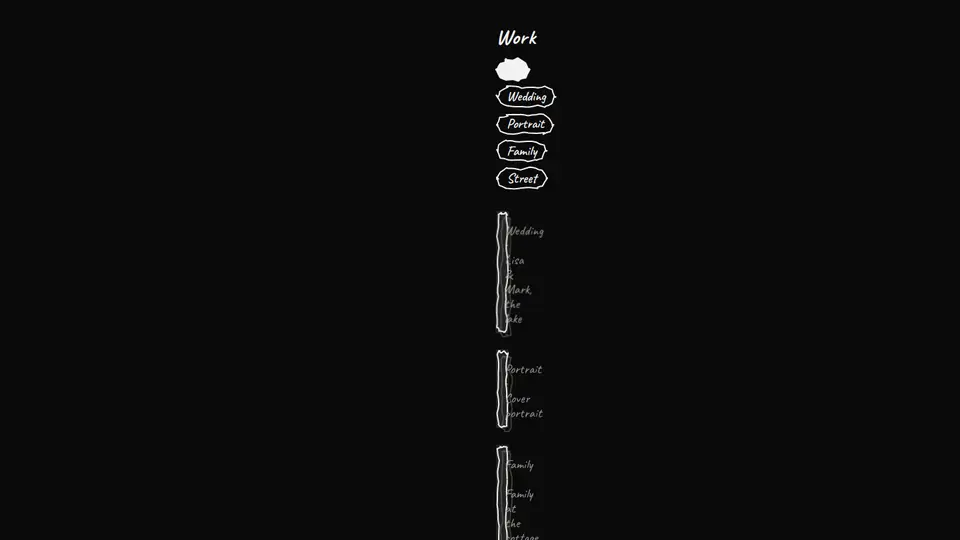
A hand-drawn gallery: genre chips in sketched capsules filter the shots, shots lie on the desk in masonry columns, each at its own tilt with a handwritten caption. They land one by one on scroll; on a genre change the extra ones blow away. Click a shot: it flies from its place to the foreground, grows and straightens; arrows and Esc.
React + Tailwind, shadcn-compatible: press “Copy for AI” and your Cursor or Claude Code agent installs it with the shadcn CLI.
What you can change
- works: titles, genres, images, captions, orientations
- allLabel, title, defaultCategory, lightbox and the closeLabel/prevLabel/nextLabel captions
- accent and ink, rough and boil, tone
A link for your AI agent: preview, code and instructions.
Preview
Use it with AI
- 1. Copy the link.
- 2. Write to your agent in your own words and drop the link into the sentence.
- 3. The agent opens the link and installs the component from the registry.
put this on the home page as the hero:
https://vibeui.club/c/sketch-017?lang=en&theme=dark
Not sure where to paste it? Step-by-step guide
Show the full instructions
What the link says, spelled out. Use it when your agent cannot open links — paste this text instead.
Loading…
How to use
<Sketch017
  title="Work"
  allLabel="All"
  works={[
    { title: "Lisa & Mark", category: "Wedding", image: "/photos/work-01.webp", orientation: "portrait" },
    { title: "Morning on the island", category: "Street", image: "/photos/work-04.webp", orientation: "landscape" },
  ]}
/>
A sample call. The agent installs the component itself from the registry via the “Copy for AI” link.
Settings
- Title
title· default: Work- “All” chip
allLabel· default: All- Hand
rough· default: loose- Boil
boil· default: soft- Line
accent· default: theme colour- Text
ink· default: theme colour
Used in scenarios
More in Hand-drawn
FAQ
- How do I add Hand-drawn filtered gallery with Cursor or Claude Code?
- Press “Copy for AI” on this page and paste it into your agent's chat. The instruction contains the shadcn CLI install command, the dependencies and what to keep, so the agent installs this exact component instead of recreating a lookalike.
- What does Hand-drawn filtered gallery depend on?
- npm packages: react-dom.
- What can I change in Hand-drawn filtered gallery?
- Adapt: works: titles, genres, images, captions, orientations; allLabel, title, defaultCategory, lightbox and the closeLabel/prevLabel/nextLabel captions; accent and ink, rough and boil, tone. Keep as installed: the two-beat filter (blow away, then re-lay) and the FLIP fly-out of a shot from its place — abrupt swaps break the desk feeling; the tilt and drawn shadow of every print, straightening on hover; masonry columns with break-inside:avoid — mixed orientations without gaps.
- Is Hand-drawn filtered gallery free?
- The preview is open to everyone; the source is available with a PRO subscription.
For developers
npx shadcn@latest add https://vibeui.club/r/pro/sketch-017.jsonnpm dependencies: react-dom
This command needs a signed link: sign in and open “Component source” below — it issues a working link valid for 30 minutes. All install options
Technical notes
One file, “use client”; the only dependency is react-dom for the lightbox portal (already present in any React project). Genres come from works (unique category), the “all” chip is allLabel. A chip is a button with aria-pressed and a rectPoints capsule drawn on its own box, the active one is filled. The desk is a <ul> with CSS columns (1/2/3 by container query), slots break-inside:avoid; a shot is a figure in a frame with a drawn shadow, tilted from the seed (−1.6…1.6°), straightening on hover. Appearance: IntersectionObserver sets data-shown once, transform/opacity delayed by --n×60ms. The filter works in two beats: for 260ms the desk gets data-leaving (shots shrink and fade), then the list remounts with a new key and shots land again. Images object-fit:cover with aspect-ratio per orientation. Neucha and Caveat via <link precedence>, palette --vibeui-sketch-017-* with light-dark, reduced-motion removes motion. Lightbox (lightbox=true): on click the shot flies with a FLIP transition — a portal in body with position:fixed starts from the photo box and moves to the centre in 0.6s (left/top/width/height + rotation), scrolling is locked with scrollbar-width compensation so the page does not jump; Esc and a backdrop click return the shot and unmount the portal on a timer; arrows and ← → step within the current genre.
Tags
- sketch
- hand-drawn
- handwritten
- doodle
- rough
- boil
- gallery
- portfolio
- filter
- masonry
- photo
- tabs
Component source
The same file your agent installs. Here in case you would rather copy it by hand.
Loading…