Promo scenes
Steps along a neon line with a running pulse
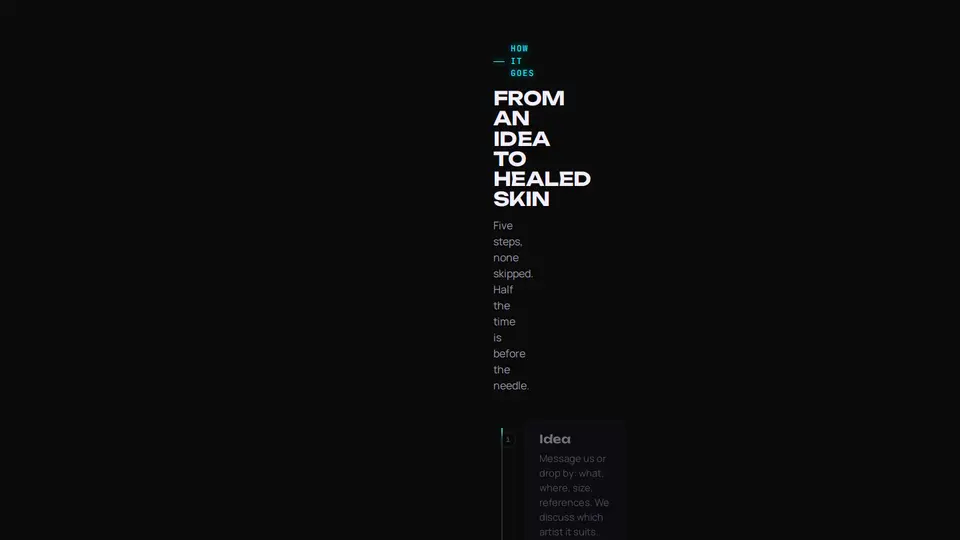
How it goes: steps along a path line. A neon pulse runs along the line, steps light up as you scroll — the node flashes, the number glows, the card fades in, everything above stays lit. On wide screens the line is horizontal with steps in a row, on narrow ones vertical.
React + Tailwind, shadcn-compatible: press “Copy for AI” and your Cursor or Claude Code agent installs it with the shadcn CLI.
What you can change
- steps: titles, texts, notes
- eyebrow, title, lede
- accent and background, tone
A link for your AI agent: preview, code and instructions.
Preview
Use it with AI
- 1. Copy the link.
- 2. Write to your agent in your own words and drop the link into the sentence.
- 3. The agent opens the link and installs the component from the registry.
put this on the home page as the hero:
https://vibeui.club/c/process-001?lang=en&theme=dark
Not sure where to paste it? Step-by-step guide
Show the full instructions
What the link says, spelled out. Use it when your agent cannot open links — paste this text instead.
Loading…
How to use
<Process001
  title="From an idea to healed skin"
  steps={[
    { title: "Idea", text: "Write to us: what, where, size, references.", note: "free" },
    { title: "Sketch", text: "The artist draws for your anatomy.", note: "1–3 days" },
    { title: "Session", text: "A sterile room, breaks every 40 minutes.", note: "from 1 h" },
  ]}
/>
A sample call. The agent installs the component itself from the registry via the “Copy for AI” link.
Settings
- Theme
tone· default: auto- Title
title· default: From an idea to healed skin- Accent
accent· default: theme colour- Background
background· default: theme colour
Used in scenarios
- Tattoo studioHow it goes
More in Promo scenes
FAQ
- How do I add Steps along a neon line with a running pulse with Cursor or Claude Code?
- Press “Copy for AI” on this page and paste it into your agent's chat. The instruction contains the shadcn CLI install command, the dependencies and what to keep, so the agent installs this exact component instead of recreating a lookalike.
- What does Steps along a neon line with a running pulse depend on?
- No npm packages beyond React and Tailwind CSS.
- What can I change in Steps along a neon line with a running pulse?
- Adapt: steps: titles, texts, notes; eyebrow, title, lede; accent and background, tone. Keep as installed: the line with a running pulse and a fill up to the current step; steps lighting up on scroll via IntersectionObserver — not all at once; the horizontal row on wide screens and the vertical line on narrow ones.
- Is Steps along a neon line with a running pulse free?
- The preview is open to everyone; the source is available with a PRO subscription.
For developers
npx shadcn@latest add https://vibeui.club/r/pro/process-001.jsonThis command needs a signed link: sign in and open “Component source” below — it issues a working link valid for 30 minutes. All install options
Technical notes
One file, zero dependencies, “use client” for the IntersectionObserver. Steps are <li data-index> in an <ol>; the IO (threshold .4, rootMargin -25 % at the bottom) raises lit to the highest index seen; the line fill is the rail’s ::before with height/width from --p = lit/(n−1). The pulse is the rail’s ::after with a @keyframes on top (or left from 60rem), a blurred cyan gradient. The node is a span with the number; on data-lit a neon box-shadow and scale 1.15. From 60rem (container query) a repeat(--count) grid, the rail horizontal above the cards. Palette --vibeui-process-001-*: a near-black background, light text, neon magenta #ff2bd6 as the accent, violet #8b5cff and cyan #22f3ff for captions, lime #c8ff3a for statuses; glows via text-shadow and box-shadow. The block is always dark inside (color-scheme:dark), the page background comes via background. Unbounded, Manrope and JetBrains Mono via <link precedence> from Google Fonts with system fallbacks. accent and background override colours, prefers-reduced-motion disables animations.
Tags
- tattoo
- neon
- dark
- studio
- landing
- process
- steps
- timeline
- scroll
Component source
The same file your agent installs. Here in case you would rather copy it by hand.
Loading…