Promo scenes
Paragraph with a travelling marker
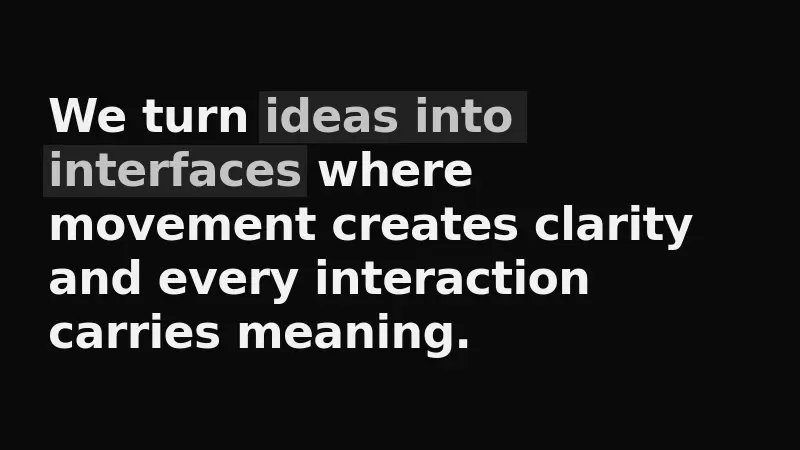
A large paragraph reveals itself word by word out of a blur, and once it has settled a marker starts moving through it: the highlight steps from one key phrase to the next and loops.
React + Tailwind, shadcn-compatible: press “Copy for AI” and your Cursor or Claude Code agent installs it with the shadcn CLI.
What you can change
- the paragraph text in the text prop
- the set of highlighted phrases in highlights — words from the same paragraph, not indices
- the highlight color via the accent prop to match your brand
A link for your AI agent: preview, code and instructions.
Preview
Use it with AI
- 1. Copy the link.
- 2. Write to your agent in your own words and drop the link into the sentence.
- 3. The agent opens the link and installs the component from the registry.
put this on the home page as the hero:
https://vibeui.club/c/text-002?lang=en&theme=dark
Not sure where to paste it? Step-by-step guide
Show the full instructions
What the link says, spelled out. Use it when your agent cannot open links — paste this text instead.
Loading…
How to use
<Text002 text="We turn ideas into interfaces where movement creates clarity." highlights={["ideas into interfaces", "creates clarity"]} interval={1.8} />A sample call. The agent installs the component itself from the registry via the “Copy for AI” link.
Settings
- Accent
accent· default: theme colour- Marked words color
accentText· default: theme colour- Seconds per phrase
interval· default: 1.8
More in Promo scenes
FAQ
- How do I add Paragraph with a travelling marker with Cursor or Claude Code?
- Press “Copy for AI” on this page and paste it into your agent's chat. The instruction contains the shadcn CLI install command, the dependencies and what to keep, so the agent installs this exact component instead of recreating a lookalike.
- What does Paragraph with a travelling marker depend on?
- No npm packages beyond React and Tailwind CSS.
- What can I change in Paragraph with a travelling marker?
- Adapt: the paragraph text in the text prop; the set of highlighted phrases in highlights — words from the same paragraph, not indices; the highlight color via the accent prop to match your brand. Keep as installed: the local --vibeui-text-002-* palette — do not swap it for your theme tokens; the word-by-word reveal: rise, blur and opacity over 550 ms with a 45 ms per-word delay; the spring marker move, scaleX 0.78 → 1 over 300 ms — it sets the character of the highlight.
- Is Paragraph with a travelling marker free?
- The preview is open to everyone; the source is available with a PRO subscription.
For developers
npx shadcn@latest add https://vibeui.club/r/pro/text-002.jsonThis command needs a signed link: sign in and open “Component source” below — it issues a working link valid for 30 minutes. All install options
Technical notes
The component is self-contained: one file, zero dependencies, palette in local --vibeui-text-002-* variables. It takes the theme from the environment via light-dark() plus a rule for the .dark class. The paragraph arrives as a single string in the text prop and is split into words right here; the highlighted parts are given as words in highlights rather than indices: the component looks for each phrase as a consecutive chain of words, compared without surrounding punctuation. The reveal is a @keyframes rule per word: translateY(30%) → 0, blur(10px) → 0, opacity 0 → 1 over 550 ms on cubic-bezier(0.16,1,0.3,1), delayed by calc(45 ms * word index). The marker is an absolute backdrop under the word with a negative z-index (the word carries isolation:isolate, otherwise the backdrop would slip behind the paragraph background); on a word inside a phrase it is stretched 0.3em to the right so the space between words is painted too. The marker moves with a transition of scaleX 0.78 → 1 and opacity over 300 ms on a spring written out as linear() points. A client timer runs the phrase queue: it starts once the paragraph has settled and then switches phrases every interval seconds in a loop. Under prefers-reduced-motion the timer never starts and every highlight is shown at once. The word under the marker switches to the accent color (--vibeui-text-002-accent-text, 300 ms), while the backdrop stays lighter than the accent — accent on accent would not read. The lit state arrives inline (opacity, transform and the word color) rather than through a rule on a data attribute: a re-render flips the attributes of the word and its backdrop at once, and such a rule was recomputed one step behind. The data-on and data-edge attributes stay in the markup as a hook for outside styles.
Tags
- text
- animated text
- paragraph
- highlight
- marker
- blur
- reveal
- stagger
- words
Component source
The same file your agent installs. Here in case you would rather copy it by hand.
Loading…