Interface
Pull cord theme switch
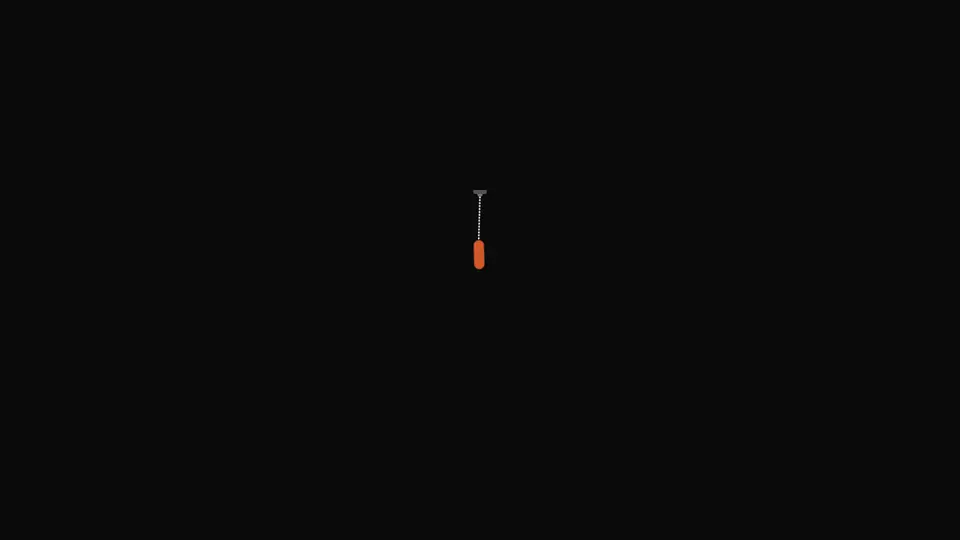
A cord with a grip at the edge of the screen: pull it down and let go — the light switches, the cord springs back and swings.
React + Tailwind, shadcn-compatible: press “Copy for AI” and your Cursor or Claude Code agent installs it with the shadcn CLI.
What you can change
- target — what gets switched: the dark class on the document or the block itself
- sound — the switch click, which can be turned off
- darkLabel and lightLabel — the hint text and the grip's aria-label
A link for your AI agent: preview, code and instructions.
Preview
Use it with AI
- 1. Copy the link.
- 2. Write to your agent in your own words and drop the link into the sentence.
- 3. The agent opens the link and installs the component from the registry.
put this on the home page as the hero:
https://vibeui.club/c/button-anim-001?lang=en&theme=dark
Not sure where to paste it? Step-by-step guide
Show the full instructions
What the link says, spelled out. Use it when your agent cannot open links — paste this text instead.
Loading…
How to use
<ButtonAnim001 target="document" />A sample call. The agent installs the component itself from the registry via the “Copy for AI” link.
Settings
- Grip colour
gripColor· default: theme colour
More in Interface
FAQ
- How do I add Pull cord theme switch with Cursor or Claude Code?
- Press “Copy for AI” on this page and paste it into your agent's chat. The instruction contains the shadcn CLI install command, the dependencies and what to keep, so the agent installs this exact component instead of recreating a lookalike.
- What does Pull cord theme switch depend on?
- No npm packages beyond React and Tailwind CSS.
- What can I change in Pull cord theme switch?
- Adapt: target — what gets switched: the dark class on the document or the block itself; sound — the switch click, which can be turned off; darkLabel and lightLabel — the hint text and the grip's aria-label. Keep as installed: the local --vibeui-button-anim-001-* palette — do not swap it for your theme tokens; the trigger thresholds: forty pixels down, fifty diagonally or a flick faster than 180 pixels per second — otherwise a stray touch flips the light; the return springs and the transform origin at the mount: without them the grip returns in a straight line and stops reading as a cord.
- Is Pull cord theme switch free?
- The preview is open to everyone; the source is available with a PRO subscription.
For developers
npx shadcn@latest add https://vibeui.club/r/pro/button-anim-001.jsonThis command needs a signed link: sign in and open “Component source” below — it issues a working link valid for 30 minutes. All install options
Technical notes
Self-contained: one file, zero dependencies, palette in local --vibeui-button-anim-001-* variables. Picks up the theme through light-dark() plus a rule for the .dark class. The cord is a dashed SVG line, the grip a separate node with its transform origin at the mount; the tilt is the arctangent of horizontal offset over cord length, so the grip always hangs along the taut line. It is dragged with pointer events and capture; past the limits the travel continues but four times stiffer. Releasing switches the theme if the grip went below forty pixels, farther than fifty diagonally, or was flicked faster than 180 pixels per second. The return is a spring stepped in requestAnimationFrame (stiffness 440, damping 11, mass 0.75 vertically; 280, 8, 0.85 horizontally); a click plays the same spring plus a damped swing on keyframes. The click sound is synthesised by two WebAudio oscillators, with no files. Under prefers-reduced-motion the cord does not animate: a press switches the theme at once.
Tags
- theme
- switch
- toggle
- pull
- drag
- spring
- dark-mode
- animated
Component source
The same file your agent installs. Here in case you would rather copy it by hand.
Loading…