Interface
Lock
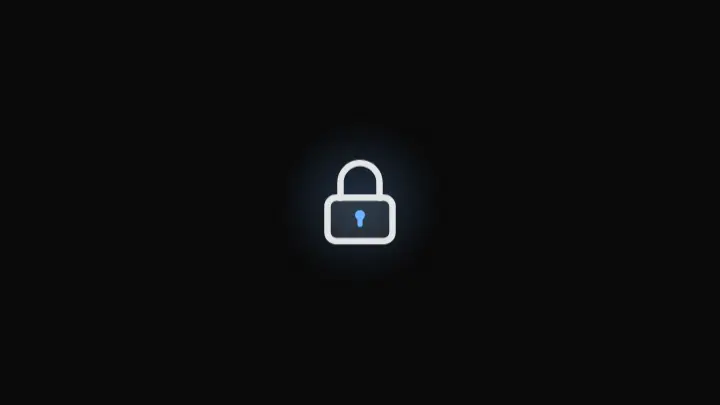
A lock visual conveying security and access control.
React + Tailwind, shadcn-compatible: press “Copy for AI” and your Cursor or Claude Code agent installs it with the shadcn CLI.
What you can change
- the accent color of the ping ring and halo via the accent prop to match your brand
- the aria-label text via the label prop for your context
- the halo visibility (glow) for the surrounding showcase density
A link for your AI agent: preview, code and instructions.
Preview
Use it with AI
- 1. Copy the link.
- 2. Write to your agent in your own words and drop the link into the sentence.
- 3. The agent opens the link and installs the component from the registry.
put this on the home page as the hero:
https://vibeui.club/c/security-002?lang=en&theme=dark
Not sure where to paste it? Step-by-step guide
Show the full instructions
What the link says, spelled out. Use it when your agent cannot open links — paste this text instead.
Loading…
How to use
<Security002 label="Access secured" accent="#3b82f6" />A sample call. The agent installs the component itself from the registry via the “Copy for AI” link.
Settings
- Halo
glow· default: on- Repeat cycle
repeat· default: on- Accent
accent· default: theme colour
More in Interface
FAQ
- How do I add Lock with Cursor or Claude Code?
- Press “Copy for AI” on this page and paste it into your agent's chat. The instruction contains the shadcn CLI install command, the dependencies and what to keep, so the agent installs this exact component instead of recreating a lookalike.
- What does Lock depend on?
- No npm packages beyond React and Tailwind CSS.
- What can I change in Lock?
- Adapt: the accent color of the ping ring and halo via the accent prop to match your brand; the aria-label text via the label prop for your context; the halo visibility (glow) for the surrounding showcase density. Keep as installed: the local --vibeui-security-002-* palette — do not swap it for your theme tokens; the spring motion of the shackle (translateY + rotate) with overshoot as it lands on the body; the shackle rotating around its own base rather than the whole icon's center — the pivot is set via transform-box:fill-box.
- Is Lock free?
- The preview is open to everyone; the source is available with a PRO subscription.
For developers
npx shadcn@latest add https://vibeui.club/r/pro/security-002.jsonThis command needs a signed link: sign in and open “Component source” below — it issues a working link valid for 30 minutes. All install options
Technical notes
The component is self-contained: one file, zero dependencies, palette in local --vibeui-security-002-* variables. It takes the theme from the environment via light-dark() plus a rule for the .dark class, so it does not stay light in a dark project. The lock is an inline SVG: the body and the shackle are separate shapes, the shackle is animated with a CSS transform (translateY + rotate) using transform-box:fill-box, so it rotates around its own base rather than the whole SVG's center. A ping ring spreads out from the lock the moment the shackle lands. A blurred halo breathes behind the lock. The section is decorative and marked as role="img" with an aria-label, all inner content is aria-hidden. Everything stops under prefers-reduced-motion.
Tags
- lock
- security
- access
- padlock
- animated
- glow
Component source
The same file your agent installs. Here in case you would rather copy it by hand.
Loading…