Loading
Upload Speed Row
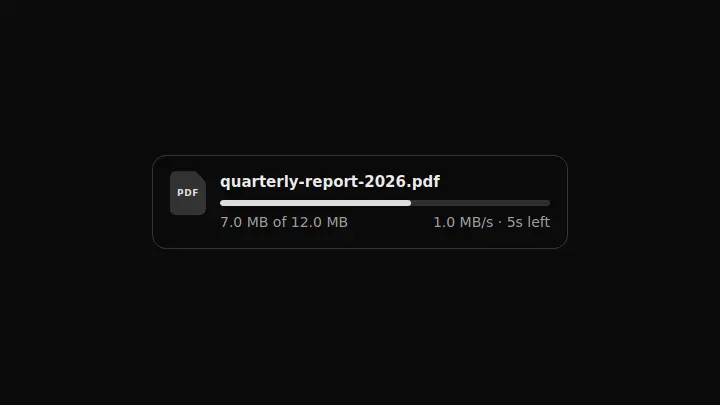
A file upload row that answers "how much longer" rather than "how many percent": size, speed and time left are derived from three numbers and cannot contradict each other.
React + Tailwind, shadcn-compatible: press “Copy for AI” and your Cursor or Claude Code agent installs it with the shadcn CLI.
What you can change
- the file name through fileName
- the transferred size through loaded and the full size through total
- the throughput through speed — the time left is derived from it
A link for your AI agent: preview, code and instructions.
Preview
Use it with AI
- 1. Copy the link.
- 2. Write to your agent in your own words and drop the link into the sentence.
- 3. The agent opens the link and installs the component from the registry.
put this on the home page as the hero:
https://vibeui.club/c/progress-004?lang=en&theme=dark
Not sure where to paste it? Step-by-step guide
Show the full instructions
What the link says, spelled out. Use it when your agent cannot open links — paste this text instead.
Loading…
How to use
<Progress004
  fileName="quarterly-report-2026.pdf"
  loaded={7340032}
  total={12582912}
  speed={1048576}
/>
A sample call. The agent installs the component itself from the registry via the “Copy for AI” link.
Settings
- File name
fileName· default: quarterly-report-2026.pdf- Speed, bytes/s
speed· default: 1048576- Accent
accent· default: theme colour- Background
background· default: theme colour
More in Loading
FAQ
- How do I add Upload Speed Row with Cursor or Claude Code?
- Press “Copy for AI” on this page and paste it into your agent's chat. The instruction contains the shadcn CLI install command, the dependencies and what to keep, so the agent installs this exact component instead of recreating a lookalike.
- What does Upload Speed Row depend on?
- No npm packages beyond React and Tailwind CSS.
- What can I change in Upload Speed Row?
- Adapt: the file name through fileName; the transferred size through loaded and the full size through total; the throughput through speed — the time left is derived from it. Keep as installed: the local --vibeui-progress-004-* palette — do not swap it for your theme tokens; deriving every caption from the three numbers: a separately computed percent will eventually disagree with the size; the aria-valuetext carrying the time left: a bare ratio does not answer "how long".
- Is Upload Speed Row free?
- Yes. The preview is open without an account; with a free account you can copy up to 20 components a month.
For developers
npx shadcn@latest add https://vibeui.club/r/pro/progress-004.jsonThis command needs a signed link: sign in and open “Component source” below — it issues a working link valid for 30 minutes. All install options
Technical notes
The component is self-contained: one file, no dependencies, its own palette in local variables --vibeui-progress-004-*. A server component: no hooks, and the byte and remainder formatting are pure functions. The percentage, "7 MB of 12 MB" and "5 s left" are derived from loaded, total and speed, so the captions agree by construction. The file mark is a tile with a cut corner on clip-path and the extension as text, so no separate icon is needed. The track grows in width from the value variable with a transition rather than rebuilding the layout. The figures are tabular: with proportional ones the numbers jitter on every update.
Tags
- progress
- upload
- file
- display
Component source
The same file your agent installs. Here in case you would rather copy it by hand.
Loading…