Dropdown menu
Right Click Hint
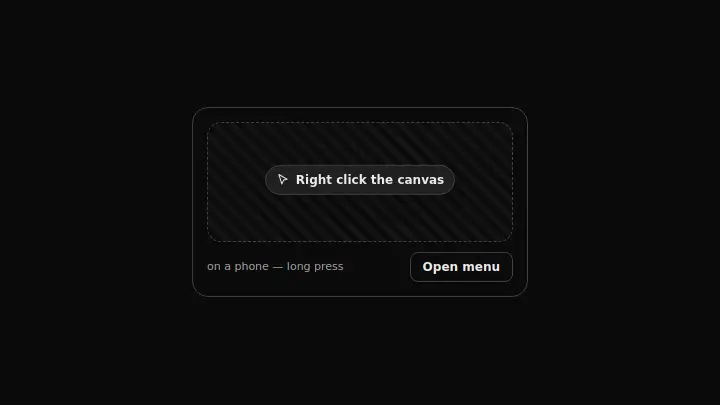
A context menu with keyboard shortcuts and a pulsing right-click hint that fades away after the first successful call.
React + Tailwind, shadcn-compatible: press “Copy for AI” and your Cursor or Claude Code agent installs it with the shadcn CLI.
What you can change
- the hint text through hint
- the entries and their shortcuts through items
- the sectionLabel, touchNote, actionLabel and menuLabel captions — Russian by default
A link for your AI agent: preview, code and instructions.
Preview
Use it with AI
- 1. Copy the link.
- 2. Write to your agent in your own words and drop the link into the sentence.
- 3. The agent opens the link and installs the component from the registry.
put this on the home page as the hero:
https://vibeui.club/c/contextmenu-008?lang=en&theme=dark
Not sure where to paste it? Step-by-step guide
Show the full instructions
What the link says, spelled out. Use it when your agent cannot open links — paste this text instead.
Loading…
How to use
<Contextmenu008
  hint="Right click the canvas"
  items={[{ label: "Paste here", keys: "Ctrl+V" }]}
/>
A sample call. The agent installs the component itself from the registry via the “Copy for AI” link.
Settings
- Hint
hint· default: Right click the canvas- Accent
accent· default: theme colour- Background
background· default: theme colour
More in Dropdown menu
FAQ
- How do I add Right Click Hint with Cursor or Claude Code?
- Press “Copy for AI” on this page and paste it into your agent's chat. The instruction contains the shadcn CLI install command, the dependencies and what to keep, so the agent installs this exact component instead of recreating a lookalike.
- What does Right Click Hint depend on?
- No npm packages beyond React and Tailwind CSS.
- What can I change in Right Click Hint?
- Adapt: the hint text through hint; the entries and their shortcuts through items; the sectionLabel, touchNote, actionLabel and menuLabel captions — Russian by default. Keep as installed: the local --vibeui-contextmenu-008-* palette: the component must look the same in any project; the right-click hint: a hidden gesture nobody mentioned does not exist for half of the users; fading the hint after the first call — a permanent animation turns into an irritant.
- Is Right Click Hint free?
- Yes. The preview is open without an account; with a free account you can copy up to 20 components a month.
For developers
npx shadcn@latest add https://vibeui.club/r/pro/contextmenu-008.jsonThis command needs a signed link: sign in and open “Component source” below — it issues a working link valid for 30 minutes. All install options
Technical notes
One file, zero dependencies, the --vibeui-contextmenu-008-* palette. Client component: the "the menu has already been opened" flag, the cursor coordinates and the long-press timer live in useState and useRef. A right click is not visible on screen, so the zone carries an animated hint; after the first call data-used on the root switches the animation off and dims it. The shortcuts are laid out in separate kbd elements with a bottom border — the menu doubles as a cheat sheet. The long press is built on onPointerDown with a pointerType check and a 500 ms timer. The animation is switched off by a prefers-reduced-motion rule. The theme comes from the surrounding color-scheme through light-dark(), and the card has no background of its own by default.
Tags
- contextmenu
- hint
- shortcuts
- touch
Component source
The same file your agent installs. Here in case you would rather copy it by hand.
Loading…